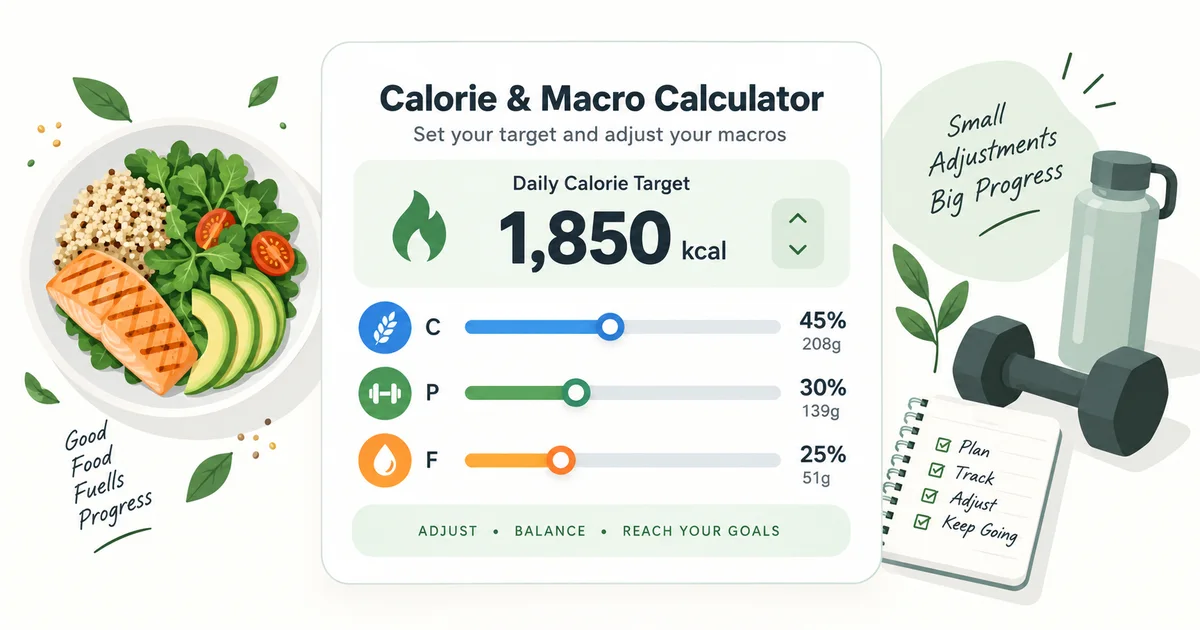
Calculate your daily calories and macros
This uses the same core calculation and macro presets as the MyFitMate iPhone app. Complete the details, then fine-tune the macro split. The three sliders remain linked so the total always stays at 100%.
2. Your estimate
Daily targets
- Estimated maintenance
- kcal
- Estimated BMR
- kcal
- Goal adjustment
Rough projection
What could the weight trend look like?
- Estimated change
- Estimated weight
This is a scenario, not a promise. It assumes the planned calorie reduction is followed and uses a simplified first-year version of a dynamic weight-change rule. Real progress may be faster or slower because energy needs, adherence, water weight and activity change over time.
3. Adjust your macros
Carbohydrates, protein and fat
Move any slider and the unlocked macros will share the remaining calories. Lock one macro if you want it to stay fixed.
Private by design: these values are calculated on your device. This page does not submit or save your age, sex, height, weight or targets.
How the estimate works
The calculator first estimates resting energy expenditure with the Mifflin–St Jeor equation. It uses weight, height, age and one of the equation’s two sex-specific constants. That resting estimate is multiplied by the activity level selected above to produce an estimated total daily energy expenditure, or maintenance calories.
The goal then changes that maintenance estimate. Maintenance makes no adjustment. Weight loss allows a 5–25% deficit, and weight gain allows a 5–20% surplus. Both start at 15%, matching the current MyFitMate app calculator.
W is weight in kilograms, H is height in centimetres and A is age in years. The result is an estimate. Real energy expenditure varies, and an activity label cannot capture every job, workout, step count or adaptation.
A worked calorie calculation
Here is what the calculation looks like for a 32-year-old woman who is 165 cm tall, weighs 65 kg and selects the moderate activity level. These details are only an example, not a recommended target for everyone with a similar body weight.
The calculator rounds the displayed values. In practice, 1,792 is not meaningfully more precise than about 1,800 kcal. The useful test is what happens to the person’s average weight, training and recovery over the following weeks.
Choosing a calorie deficit
A deficit means eating less energy than you use over time. The calculator starts at a moderate 15%, but lets you explore 5–25%. A larger number is not automatically better: it may be more difficult to sustain and can compromise training, recovery and lean mass. The calculator avoids promising a fixed rate of loss because the relationship between a planned deficit and real weight change is not perfectly linear.
The CDC recommends gradual, steady weight loss and notes that medication, medical conditions, stress, genes, hormones, environment and age can all affect weight management. If the calculated intake feels unusually low, do not force it simply because a formula produced the number.
The calculator’s 1–12 month projection is deliberately described as a scenario. It is based on the approximate first-year response in a dynamic adult body-weight model, where weight loss slows as the body adapts. It does not use the popular linear 3,500-calorie rule, which tends to overestimate longer-term loss.
For weight gain, the upper limit is lower. Research in resistance-trained people supports using a conservative surplus and reports that faster gain from larger surpluses primarily adds more body fat, rather than proportionally more muscle. The calculator therefore allows 5–20%, while keeping 15% as the app default.
Setting protein, fat and carbohydrates
For weight loss, the MyFitMate calculation starts protein at 2.2 g per kilogram of body weight, assigns 20% of calories to fat and gives the remaining calories to carbohydrates. Maintenance starts at 2.0 g/kg protein and 25% fat; weight gain starts at 2.5 g/kg protein and 27% fat.
Those are practical fitness defaults, not requirements. The International Society of Sports Nutrition position stand places most exercising adults around 1.4–2.0 g protein/kg/day and notes that higher intake may be useful for resistance-trained people during energy restriction. Your food preferences, training volume, tolerance and medical needs still matter.
- Protein: prioritize a target you can meet consistently across normal meals.
- Fat: avoid treating it as a disposable calorie reserve; it is part of an adequate diet.
- Carbohydrates: use the remaining budget to support training, recovery and food preference.
The presets are simply different ways to divide the same calorie target. Selecting “high protein” or “keto” does not make that pattern automatically more effective or appropriate.
Using the calculator while training in Phuket
Hot, humid sessions can make the short-term feedback noisier. The calorie calculation still gives you a starting point, but sweat loss, a new training routine and changes in appetite can all affect what you see on the scale and how well the plan feels.
After a hot session
Do not count sweat loss as fat loss
A lower number immediately after training mostly reflects fluid loss. The American College of Sports Medicine lists a 1% change in body weight as one possible sign of dehydration.
For a cleaner trend
Weigh under similar conditions
Compare morning measurements taken at roughly the same point in your routine. Use a weekly average rather than treating the lightest post-training reading as progress.
Two-a-day training
Treat the activity level as an estimate
Two sessions do not automatically make the highest multiplier correct. Choose the option that best represents your whole week, then adjust from your actual weight trend, hunger, recovery and performance.
When appetite drops
Make sure the deficit is still intentional
Heat and a busy training day can make eating enough inconvenient. If energy, recovery or performance deteriorates, check what you are actually eating instead of assuming a larger accidental deficit is better.
What 2,300 calories could look like on a training day
This example divides a 2,300 kcal target and about 170 g protein across four eating occasions around a morning session. It shows the scale of the target; it is not a prescribed menu, and the meals can move to suit your training time and appetite.
Breakfast
About 550 kcal
Aim for roughly 40 g protein, with carbohydrates and fluids that sit comfortably before training.
Lunch
About 700 kcal
A larger post-training meal with roughly 50 g protein, a substantial carbohydrate source, vegetables and fluids.
Snack
About 350 kcal
Roughly 30 g protein plus fruit, cereal or another convenient carbohydrate source if a second session is coming.
Dinner
About 700 kcal
Roughly 50 g protein with the remaining carbohydrates and fat, adjusted to the foods you actually enjoy.
The point is not to hit each meal number exactly. Total daily protein matters more than racing to eat within a narrow post-workout window. The ISSN position stand suggests spreading useful protein servings across the day, while recognizing that timing depends on the person and when they trained and ate.
How to adjust the target using real results
Step 1
Hold the target steady
Give a reasonable starting target two to four consistent weeks before drawing conclusions. A few individual weigh-ins can be dominated by water, glycogen, salt, travel and digestion.
Step 2
Use an average trend
Compare weekly averages under similar conditions. Look at the direction over time rather than the highest or lowest reading.
Step 3
Check tracking first
Before reducing calories, check portions, drinks, oils, restaurant meals and unlogged weekends. Also check whether your activity changed.
Step 4
Make a small change
If the trend remains flat and adherence is genuinely consistent, adjust by roughly 100–200 kcal/day, then observe again.
Use the MyFitMate calorie counter to log meals and compare your actual intake with the target. The estimate becomes useful when it is tested against your own repeatable data.
Common questions
Why am I not losing the predicted amount?
The projection assumes the planned intake is followed and can only approximate how energy needs change. Check two to four weeks of average weight, food logging and activity before changing the target.
Which activity level should I choose for two sessions a day?
Choose the level that most closely represents your typical full week, including easier and rest days. Start with the result as an estimate; do not select the highest option simply because one day contains two classes.
Does Phuket’s heat change my calorie needs?
The calculator cannot model weather precisely. Heat is more immediately important for hydration, comfort, appetite and training performance. Do not interpret rapid sweat-related weight loss as extra fat loss.
Do I need to hit the macro percentages exactly?
No. They are planning tools, not pass-or-fail scores. Build a sustainable diet with adequate protein and overall nutrition, then use the sliders to reflect your preferred foods and training demands.
When should I recalculate?
Recalculate after a meaningful change in body weight, training load, daily activity or goal. Otherwise, small adjustments to the existing target are usually easier to evaluate than repeatedly starting again.
Can I use this to maintain or gain weight?
Yes. Select Maintain for an estimated maintenance target or Gain weight for an adjustable 5–20% surplus. The same rule applies: compare the estimate with your real trend and adjust gradually.
Does this calculate a daily target or the calories in a meal?
This calculator estimates a daily calorie and macro target from your details, activity and goal. It does not identify a meal or calculate what you have eaten. Use the MyFitMate calorie-counter app for meal logging. For packaged-food comparisons, the Thailand ready-meals guide and protein-drink guide keep their own label evidence and check dates.
How do BMR, maintenance calories and the daily target differ?
BMR is the calculator’s resting-energy estimate. Maintenance calories multiply that estimate by your selected activity factor. The daily target then applies the selected goal and calorie adjustment. Changing a macro preset or slider divides that same target between protein, carbohydrates and fat; it does not change the maintenance estimate.
Sources and calculator checks
Selected sources rechecked 21 October 2026. The resting-energy formula matches the simplified equations in the original Mifflin–St Jeor study. Its participants were aged 19–78; the calculator displays an extra caution outside that study range. Activity multipliers, goal adjustments and macro presets remain planning defaults rather than individually validated prescriptions.
The weight-change display uses MyFitMate’s simplified interpolation of the approximate rule of thumb described in the Hall and colleagues paper. It does not implement the full model used by the NIDDK Body Weight Planner. Its numbers remain a scenario, not a personal prediction.
The linked CDC, ISSN, NHLBI, resistance-training and ACSM sources were also revisited. The existing calorie ranges, protein figures, adjustment ranges, sample day and health limitations are retained. Checking the sources and calculator behaviour does not establish that these targets are appropriate for an individual.
Who should not rely on this calculator alone
This calculator is intended as a general estimate for adults. It is not designed for children or teenagers, pregnancy or breastfeeding, eating-disorder recovery, people who are underweight, or anyone whose medical condition or medication materially affects nutrition, fluid balance, appetite or metabolism.
Very low calculated targets deserve individual review. The NHLBI evidence review describes 1,200–1,500 kcal/day for many women and 1,500–1,800 kcal/day for many men as ranges used in weight-loss interventions, adjusted for body weight and activity. Those figures are context, not universal minimums or personal prescriptions.